
Install Our App
Save this website to your home screen and use it just like a regular app — fast, offline, and distraction-free.
💻 Desktop Browser Installation Steps
- Open this site in Chrome, Edge, or Safari.
- Click the install icon (a small computer with a down arrow) in the address bar.
- Click 'Add to Home Screen'
- Click 'Install' when prompted.
- Your app will open in its own window and appear in your applications list.
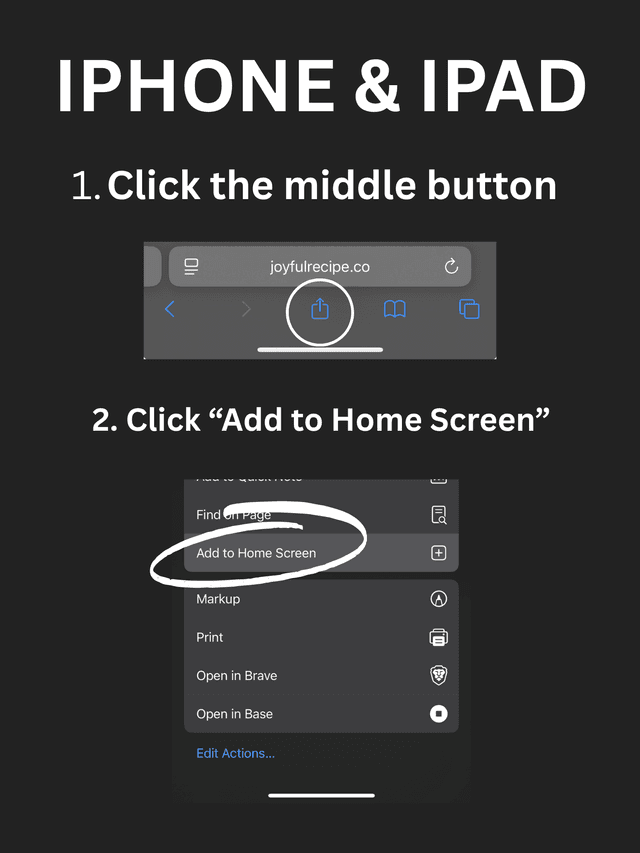
Tip: Once installed, open the app directly from your home screen for a full-screen, native experience.